VL Request Using Texture
You can test VL requests using a user-assigned Texture. With this method, you can perform VLSDK tests using images or videos captured arbitrarily by the user.
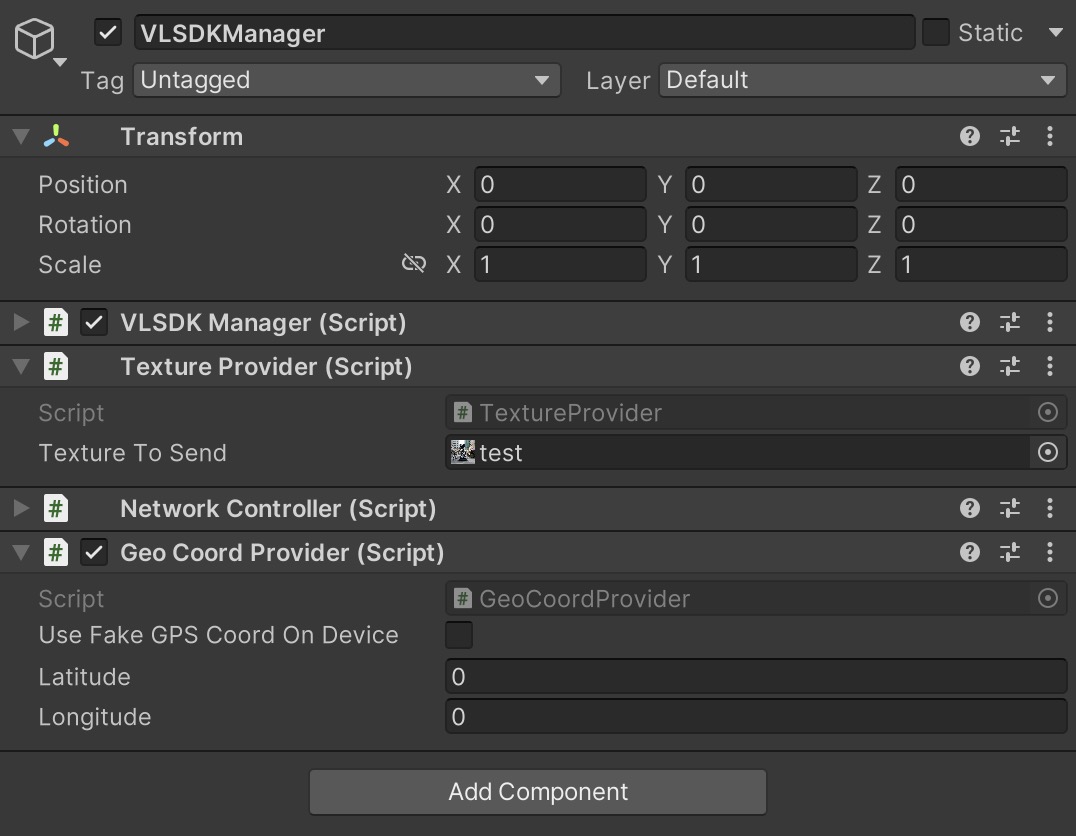
When you create a VLSDKManager, you will see that the Texture Provider component is automatically added by default. If you assign the Texture you want to send a request to the Texture To Send field of the Texture Provider, it will send a VL request using that Texture. You can assign either an image file with Texture Type set to Sprite (2D and UI) or a video's Render Texture.
When Using Image Files for Requests
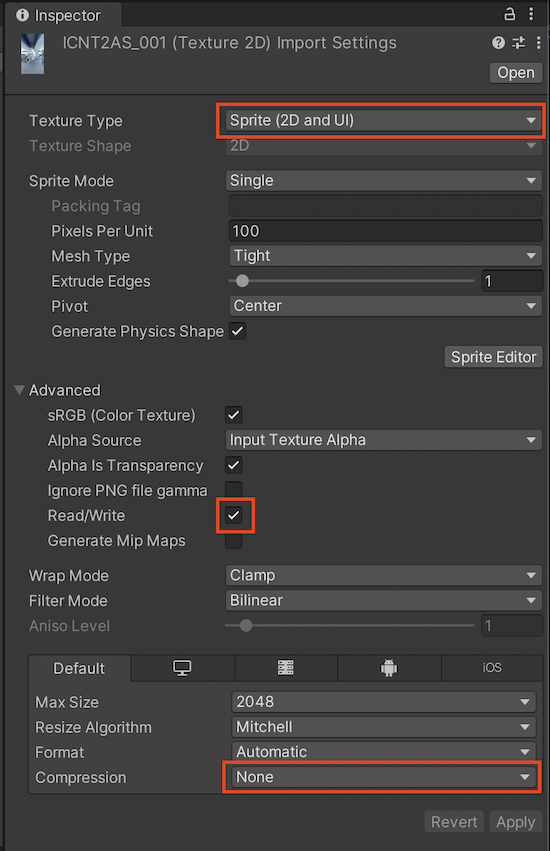
When using an image file, click on the file to enter Import Settings and configure as shown below. Assign the configured image file to the Texture to Send field of TextureProvider. When you enter Play mode in this state, it will send a VL request with the image file assigned to TextureProvider.
When Using Video Player for Requests
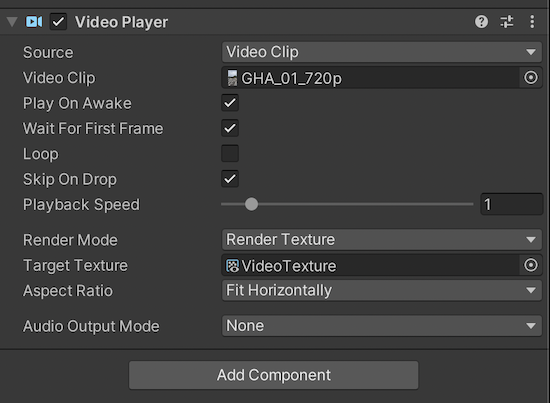
When using a video player, set the Render Mode to Render Texture and assign the VideoTexture included with VLSDK to the Target Texture. Assign this VideoTexture to the Texture to Send field of TextureProvider. When you enter Play mode in this state, it will send a VL request using the VideoTexture assigned to TextureProvider.