Apply Custom PoseTracker
To use the created Custom PoseTracker, you need to use the CustomPoseTrackerAdaptor component.
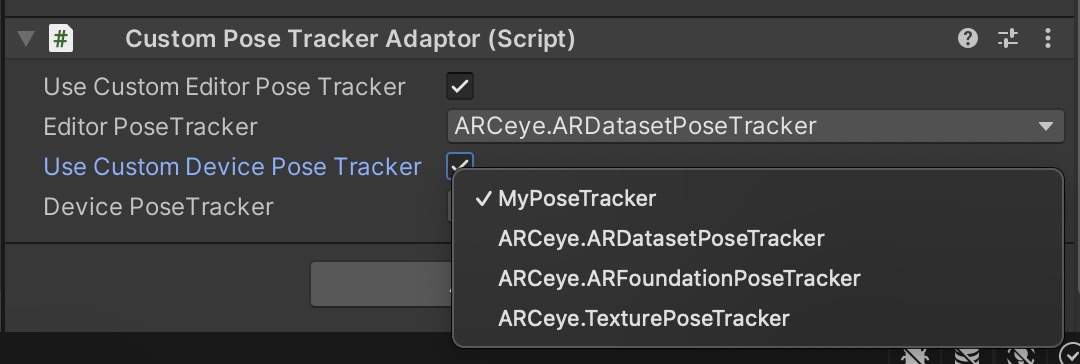
When you add the CustomPoseTrackerAdaptor component to the VLSDKManager, a UI will appear that allows you to select a PoseTracker as shown below.
You can use the toggles Use Custom Editor Pose Tracker and Use Custom Device Pose Tracker to choose the desired PoseTracker. If the toggles are disabled, the default PoseTrackers will be used (Editor - ARDatasetPoseTracker, Device - ARFoundationPoseTracker).
Select the PoseTracker you want to apply and use it.