Principles of Spatial AR
What is Augmented Reality?
Augmented Reality (AR) is a technology that analyzes the real environment using devices like cameras and overlays virtual information (3D objects, text, graphics, etc.) in real-time to make it appear as part of the real world. To achieve this, various sensor data such as position sensors, gyroscopes, and GPS are utilized to recognize the physical space the user is observing and accurately place virtual objects in the correct positions.
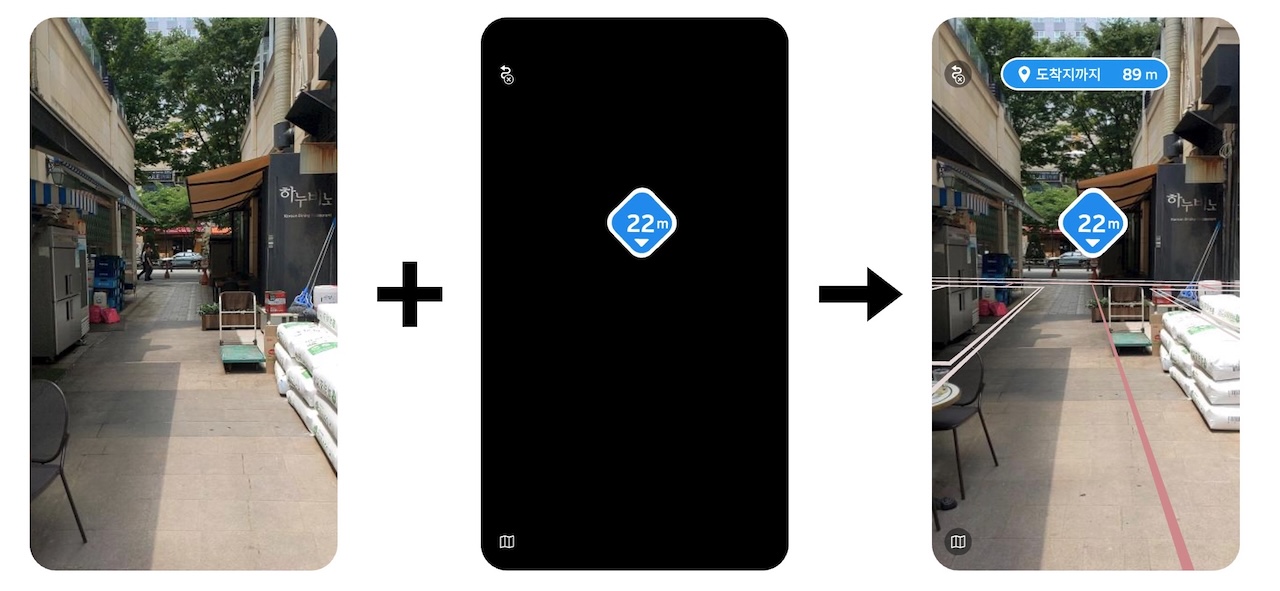
In the image below, the left side shows how AR effects appear when viewed in a virtual space. The video captured by the camera is placed in the background, and the rendering in the virtual space is layered on top to create the AR effect seen on the right side. In the left screen, you can see a black object moving back and forth, which reproduces the actual camera movement in the virtual space. This method enables the creation of AR effects.
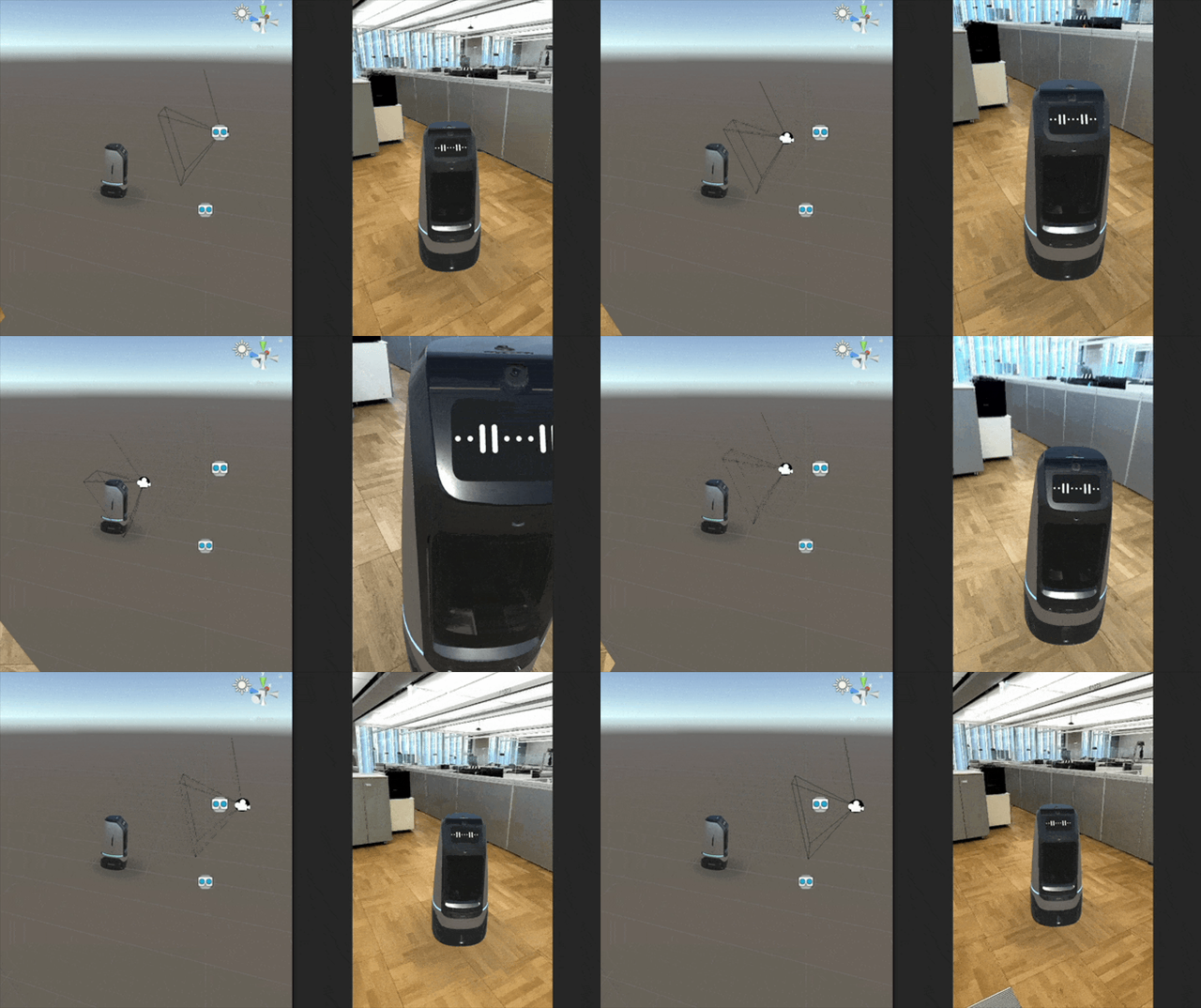
To produce rendering results for natural AR effects, various information about the camera in 3D space is crucial. Among these, the camera's position is particularly important. The more accurately the real camera's position matches the virtual camera's position, the more natural the AR effect will appear.
AR in Smartphone Environments
To implement augmented reality in smartphone environments, iOS uses ARKit, and Android uses ARCore. ARKit and ARCore are AR libraries designed to make VIO (Visual Inertial Odometry) technology easily accessible to app developers. VIO is a technology that tracks the device's position (coordinates) and orientation (rotation angles) by combining camera (vision) information with inertial sensor data (accelerometer, gyroscope, etc.). This allows stable tracking of the device's movement in 3D space within an AR environment. Game engines like Unity and Unreal provide integrated libraries such as ARFoundation or Unreal XR System to make it easier to use platform-provided AR libraries like ARKit or ARCore.
Supported Devices
ARKit and ARCore are only available on specific devices. The requirements are as follows:
-
iOS devices supporting ARKit:
- Devices with A9 or later processors
- iOS 11.0 or later
-
Android devices supporting ARCore:
Camera Position
The camera's position is expressed as 6DOF and can be categorized into local pose and global pose.
6DOF (6 Degrees of Freedom)
6DOF is a set of values used to represent the position of an object in 3D space. It consists of six independent values, also referred to as six degrees of freedom. The components of 6DOF are x-axis translation, y-axis translation, z-axis translation, x-axis rotation, y-axis rotation, and z-axis rotation.
Local Pose
Local pose refers to the position based on the camera's movement. It calculates the position by always setting the starting point of measurement as the origin. There are various methods to calculate local pose, but in smartphone environments, VIO is commonly used to calculate the camera's 6DOF. While local pose calculation technologies have the advantage of fast computation, they cannot calculate 6DOF in a global space.
Global Pose
Global pose refers to the camera's 6DOF in a spatial context. Latitude and longitude obtained via GPS can be considered a type of global pose. Using ARC eye, specific spaces can be scanned into 3D digital spaces, and specific positions within these spaces can also be considered global poses. To calculate global poses in 3D spaces created by ARC eye, ARC eye's Visual Localization (VL) technology is used. Compared to local pose, global pose contains more information, but the technologies for calculating global pose have the disadvantage of being difficult to perform in real-time.
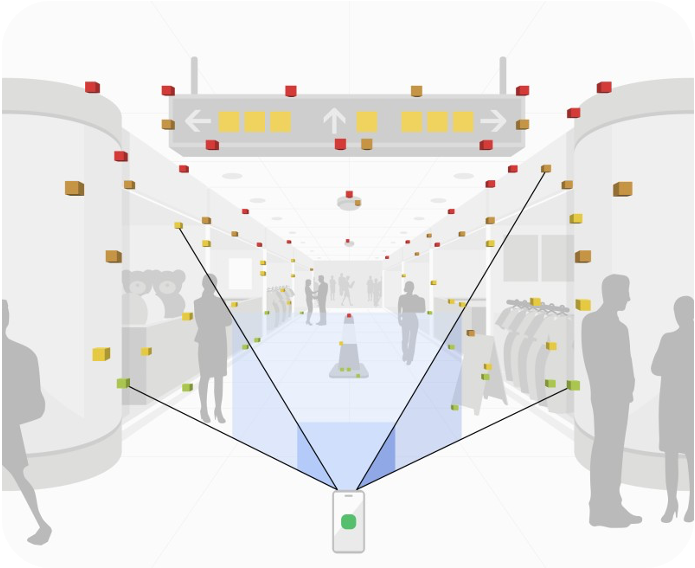
6DOF Calculation Speed for AR Implementation
To implement AR effects, 6DOF must be calculated at a very high speed. While this varies from person to person, typically, calculating the position more than 30 times per second is required for AR effects to feel natural. Technologies for calculating local pose can easily perform calculations more than 30 times per second, but technologies for calculating global pose cannot perform such real-time computations. For example, VL services use networks, and considering network load, calculations can only be performed about 5 times per second. This speed is insufficient for applying AR technology.
By using VLSDK, you can seamlessly integrate local pose and global pose with minimal code to develop natural spatial AR applications.