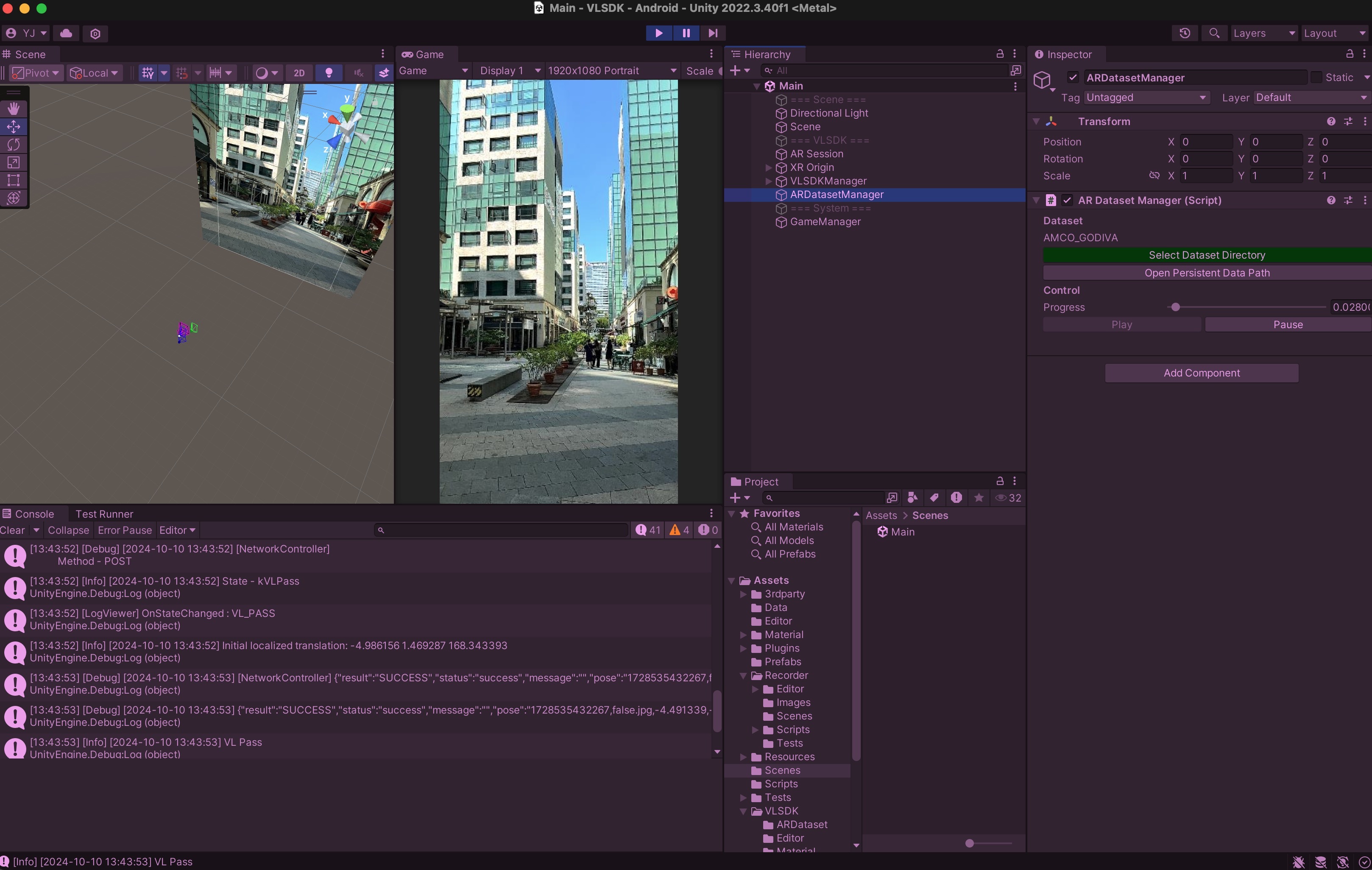
AR Dataset
AR Dataset is a sub-package of VLSDK that handles AR-specific datasets recorded from the device's screen and movements. Since VLSDK includes logic to improve localization accuracy based on the actual device's movements, developing with the AR Dataset allows you to work in an environment similar to using a real device.
AR Dataset consists of Recorder and Player. The Recorder is provided as VLSDK > ARDataset > ar-dataset-recorder-0.9.5.unitypackage within the VLSDK package. The Player is already included in VLSDK and can be found under VLSDK > Player.
Recorder
To use the Recorder, you need to use the ar-dataset-recorder-0.9.5.unitypackage included in VLSDK. Opening the package will add files related to Recorder. Open the Recorder > Scenes > Recorder.unity scene to see a screen implemented like a camera app.
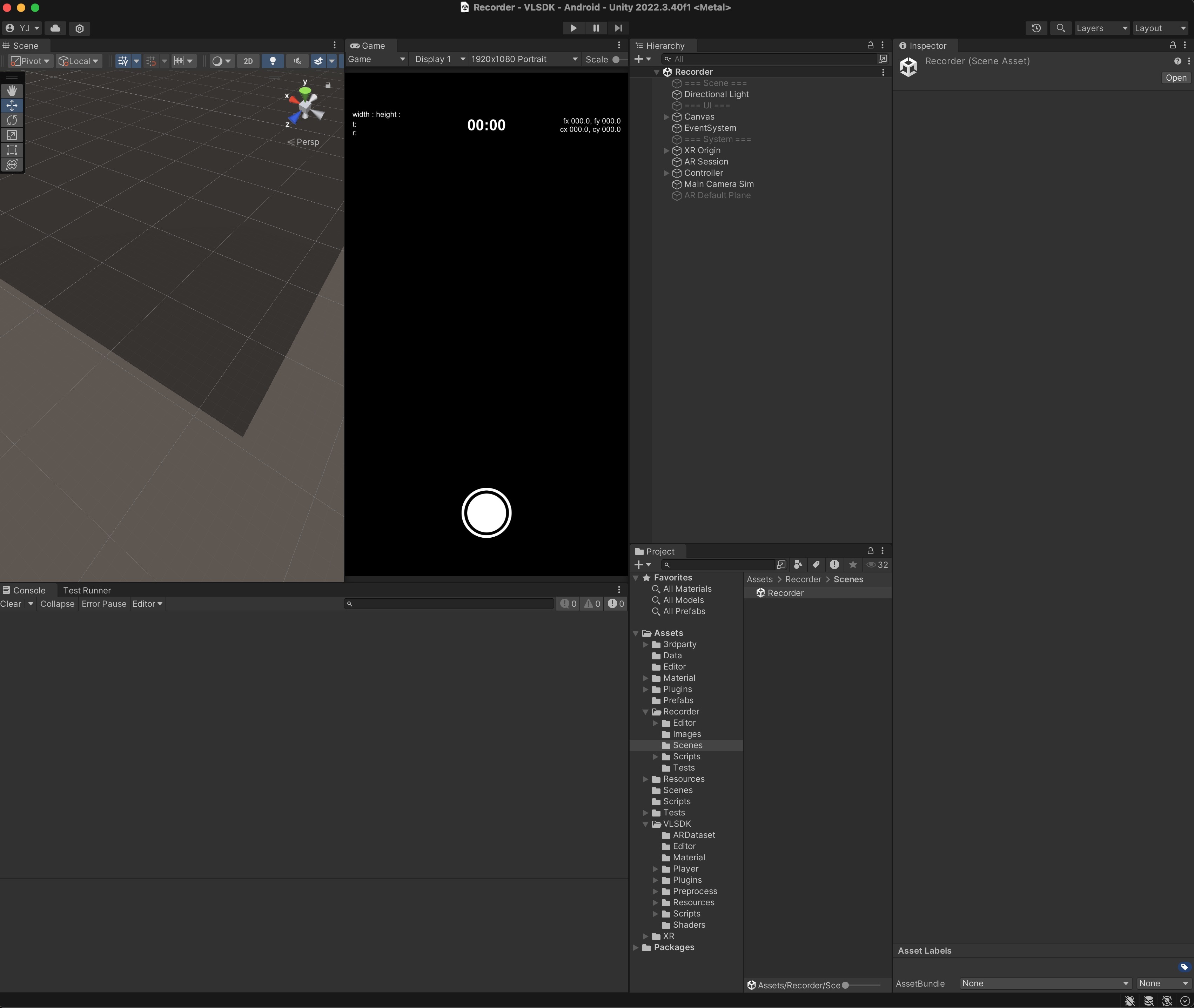
If you build and run this scene on iOS or Android, you can generate datasets. Start recording by pressing the record button, and after stopping the recording, the results will be saved on the device. You can transfer the recorded results to a PC using the following methods:
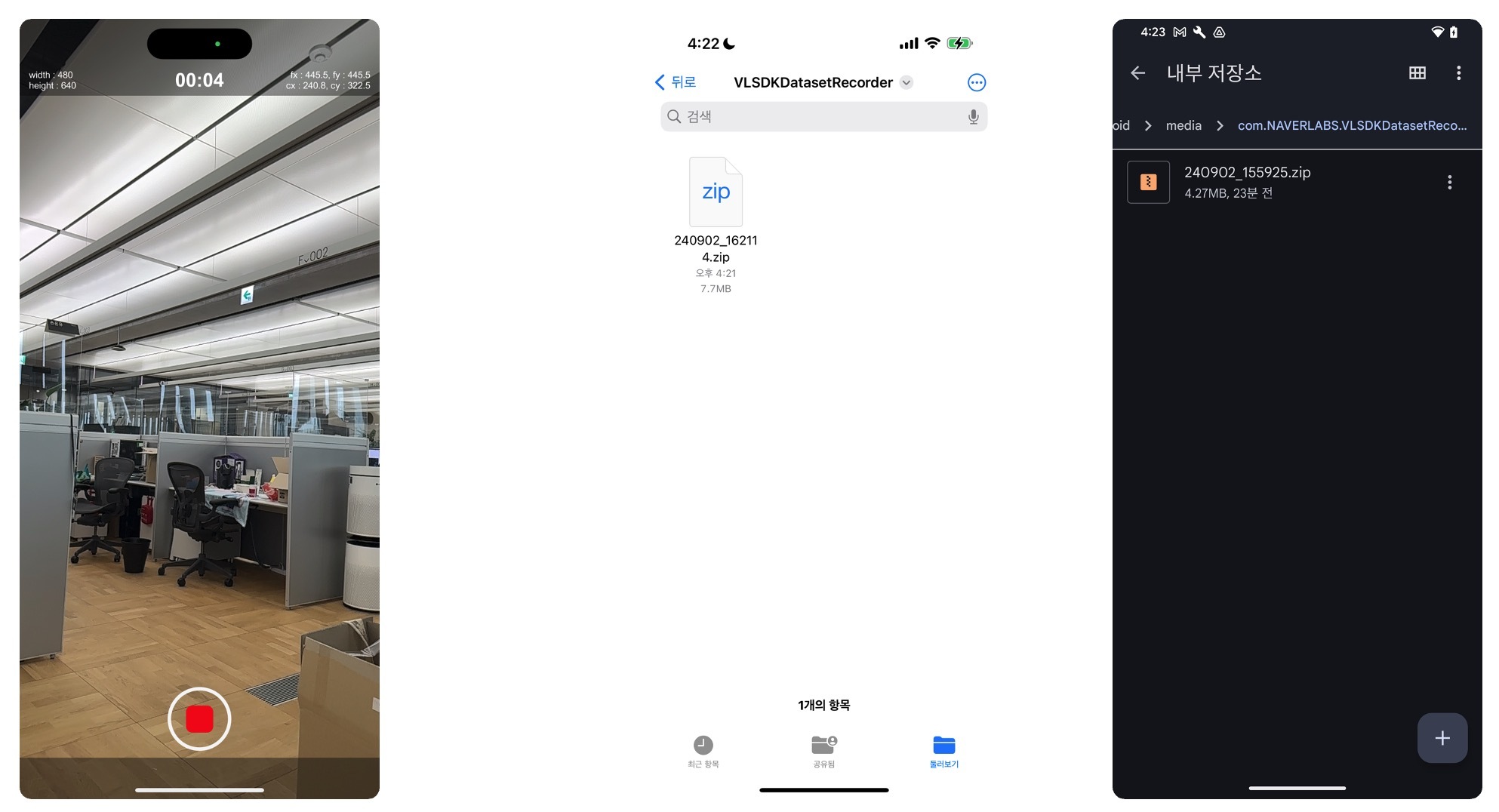
- iOS Environment
- Open the default Files app on iOS and share the folder of the recording app name to the PC.
- Android Environment
- Open a file browser app and navigate to Android -> media -> 'app bundle name' to access the files and share them to the PC.
Player
To use the Player, the ARDatasetManager must be added to the Scene. Click GameObject > ARC-eye > Dataset > Create ARDatasetManager to add the ARDatasetManager to the Scene.
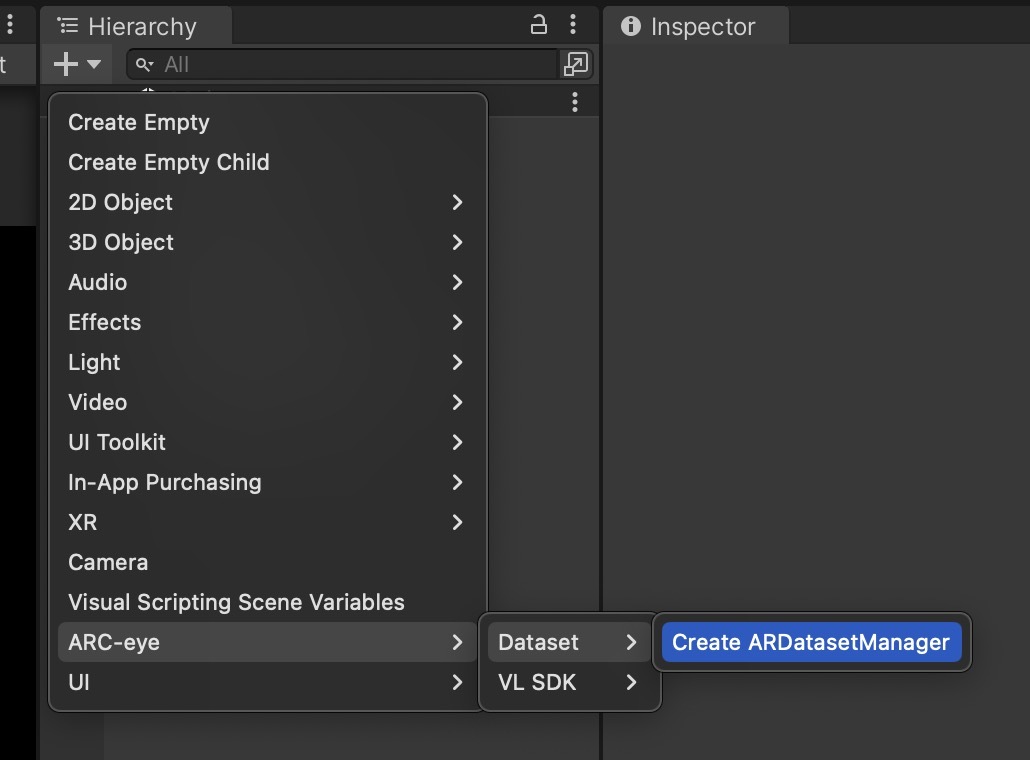
When you select the ARDatasetManager, you can see the following screen in the Inspector. Click the Select Dataset Directory button and choose the directory of the extracted dataset.
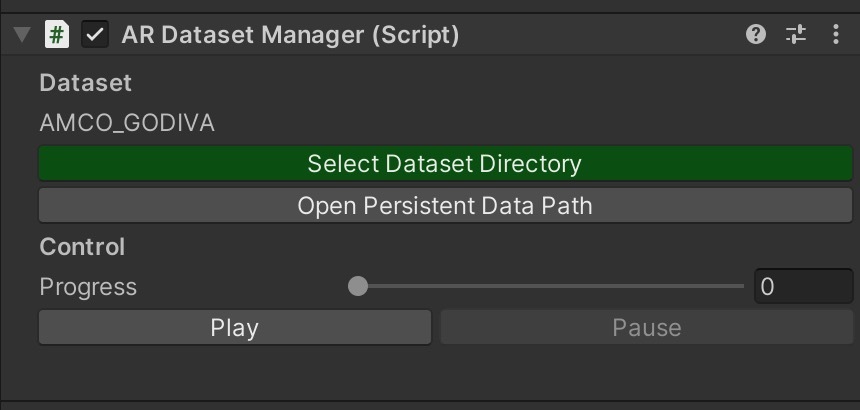
After selecting the data, enter Play mode to see the video and movements recorded at the time the dataset was captured.