Implementing a Custom Pose Tracker
In this tutorial, you will implement the 3.CustomPoseTracker sample project to learn how to develop and apply a custom Pose Tracker. A Custom Pose Tracker refers to a PoseTracker developed directly by the user.
In most cases, you can develop an app using the default Pose Tracker provided by VLSDK. However, in environments where it is difficult to use the PoseTracker provided by VLSDK by default, such as robots and AR glasses, you need to develop and use your own PoseTracker.
Before starting this tutorial, you must complete Implementing a Simple App.
1. CustomPoseTracker Usage Flow
In the overall VLSDK operation process, the PoseTracker is responsible for creating ARFrames and delivering them to the VLSDK core logic. For details, please refer to the documentation.
2. Creating CustomPoseTracker (Basic)
2.1 Create PoseTracker Inherited Script
- Create a
MyPoseTracker.csfile in the desired location. CustomPoseTrackerAdaptor can recognize PoseTracker files created in any location.
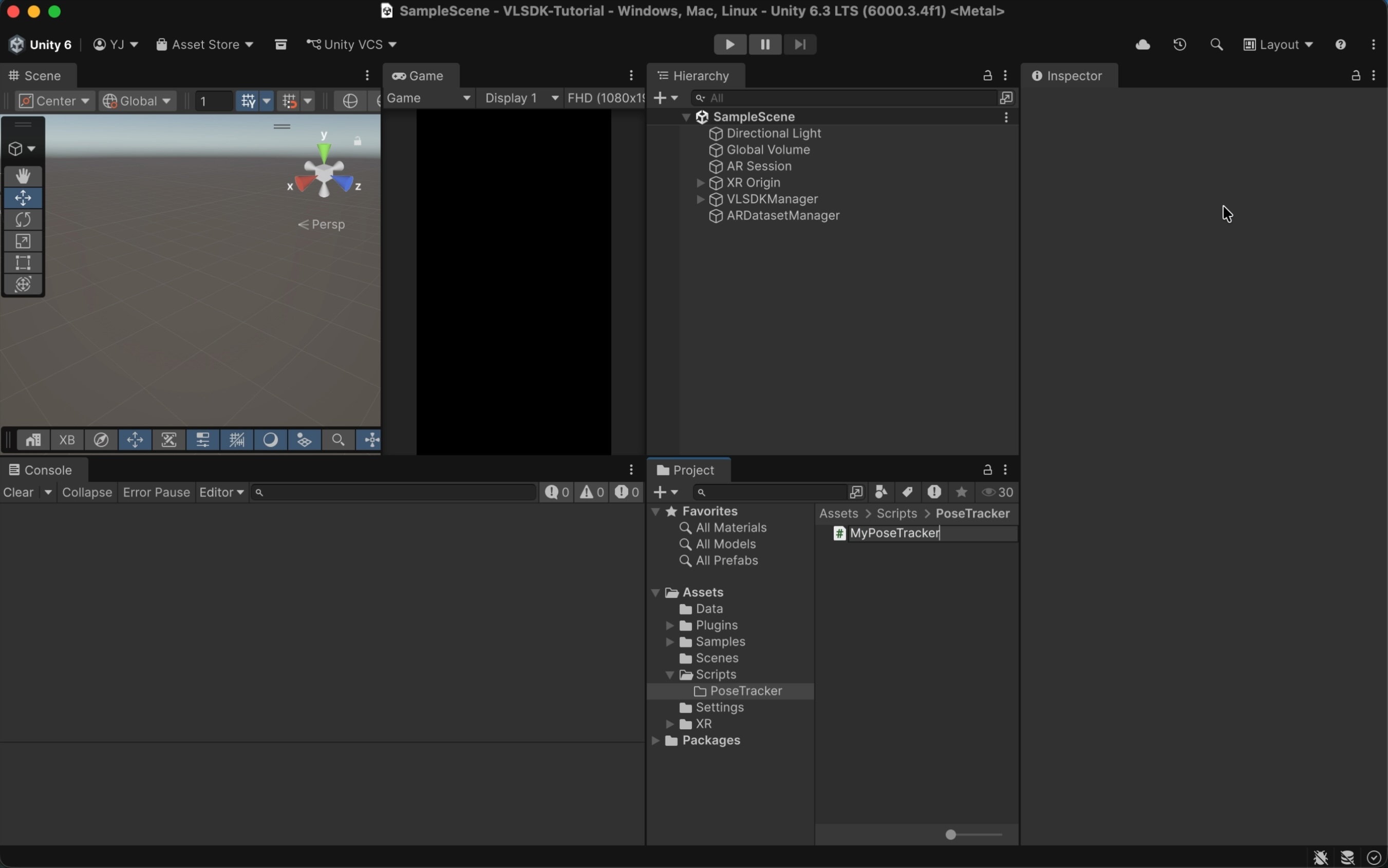
- Implement the
MyPoseTrackerclass as follows.
using UnityEngine;
using ARCeye;

public class MyPoseTracker : PoseTracker // <- Class that inherits from PoseTracker.
{
    // Method called every frame. Creates and returns an ARFrame.
    protected override ARFrame CreateARFrame()
    {
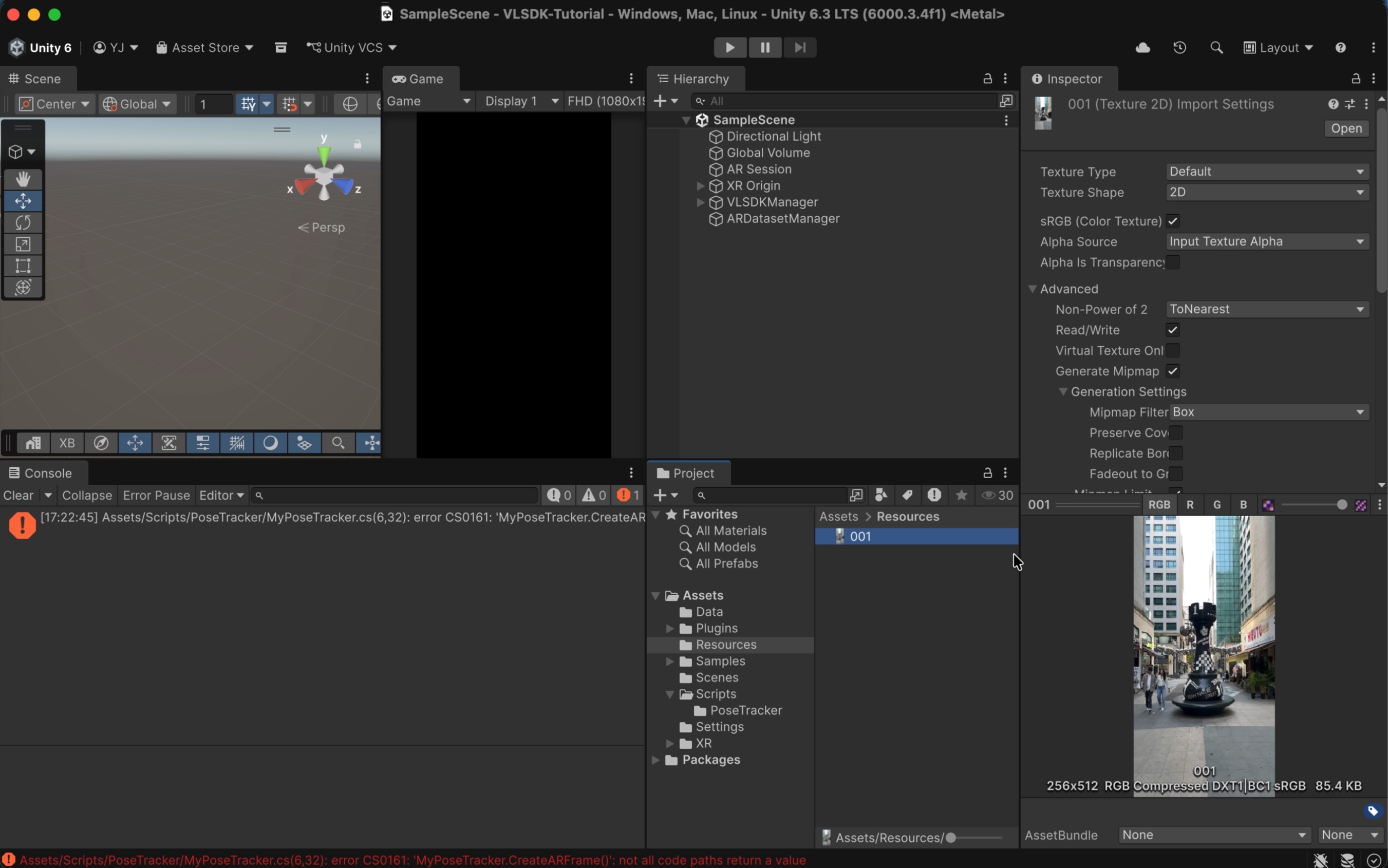
        // Load an image. For quick testing, use an image from the Resources directory every frame.
        var texture = Resources.Load<Texture2D>("001");

        // Create an ARFrame.
        ARFrame frame = new ARFrame();
        frame.texture = texture;

        return frame;
    }
}
- The image used for testing is located at the following path.
3. Applying CustomPoseTracker
3.1 CustomPoseTrackerAdaptor
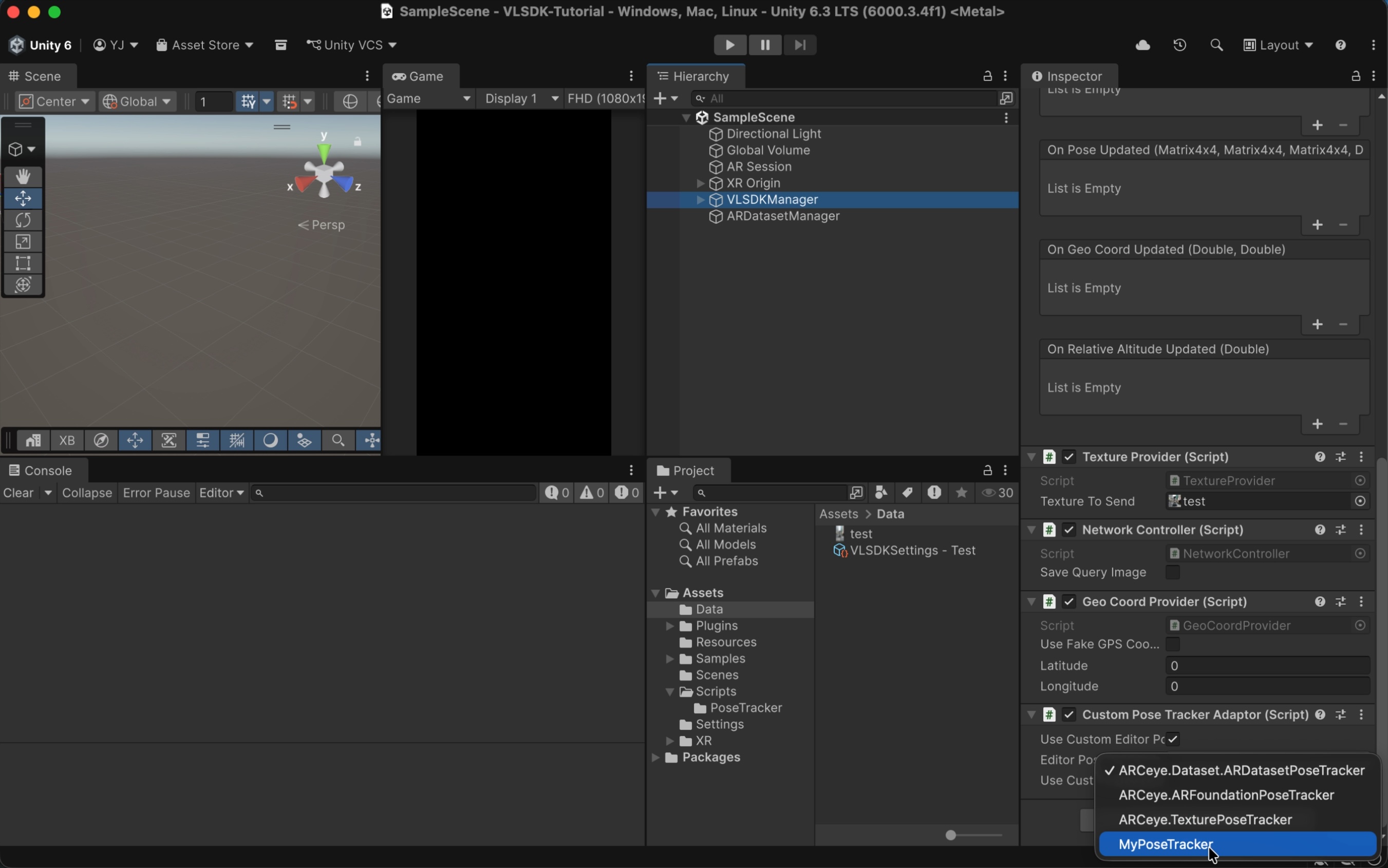
Select VLSDKManager and add the CustomPoseTrackerAdaptor component. If you check the Use Custom Editor Pose Tracker item, you can select the PoseTracker to be used when entering Play Mode in the Editor environment. If you check the Use Custom Device Pose Tracker item, you can select the PoseTracker to be used in the actual device environment. Here, check Use Custom Editor Pose Tracker and select the previously created MyPoseTracker.
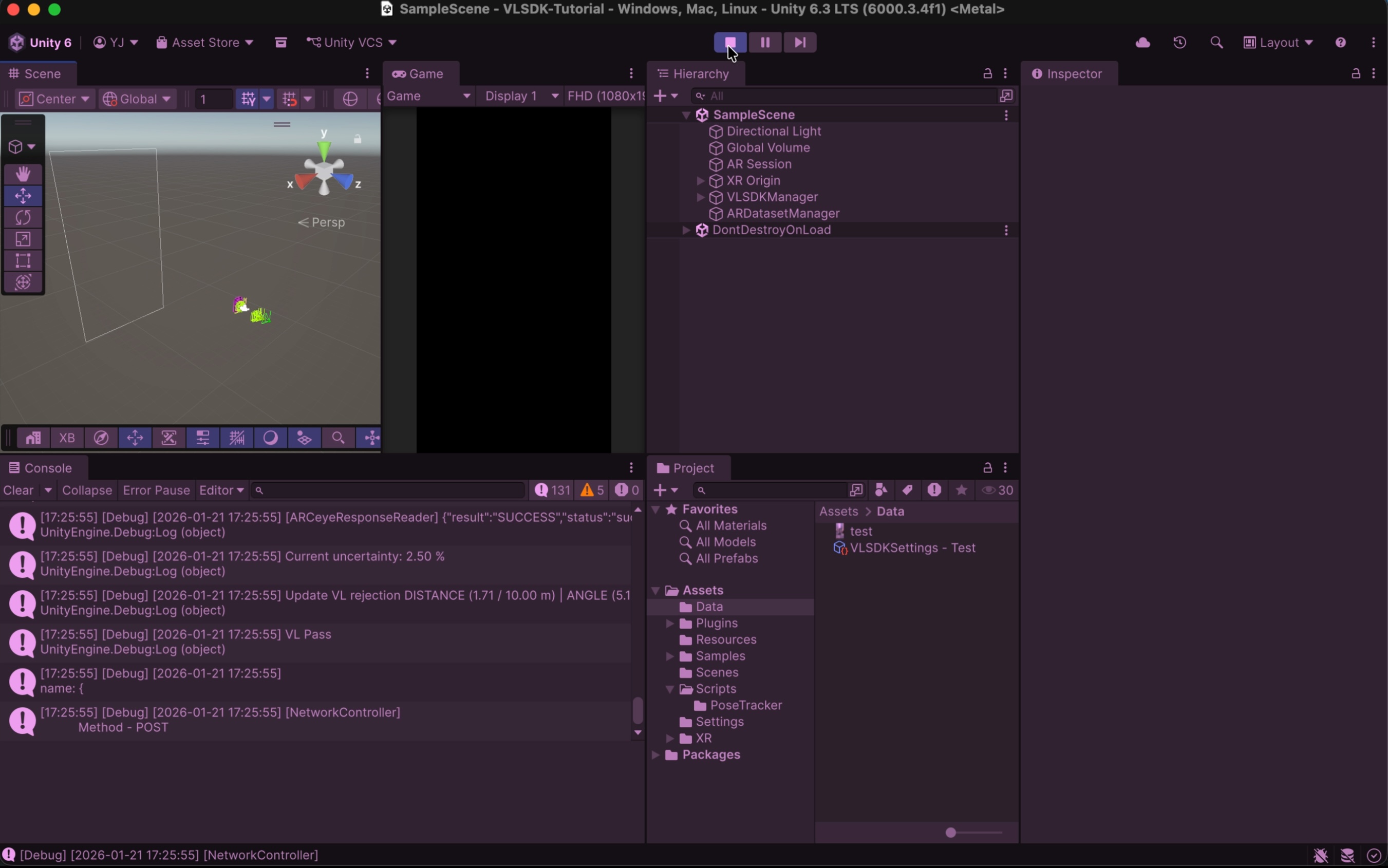
When you enter Play Mode, you can verify that ARFrame is created through MyPoseTracker and VL requests are sent.
4. Creating CustomPoseTracker (Advanced)
The following is an advanced example of using CustomPoseTracker. If your system has its own loop, you can implement it in the format below. The example below is based on ARFoundation, but can be adapted to various systems.
using System;
using UnityEngine;
using UnityEngine.UI;
using UnityEngine.XR.ARFoundation;
using UnityEngine.XR.ARSubsystems;
using Unity.Collections.LowLevel.Unsafe;

using ARCeye;

public class MyPoseTracker : PoseTracker
{
    private ARCameraManager m_CameraManager;
    private ARCameraFrameEventArgs m_LastFrameEventArgs;

    private Texture2D m_CameraTexture;
    private RawImage m_RequestedTexture;

    // Event called when MyPoseTracker is first created.
    public override void OnCreate(Config config)
    {
        config.tracker.useFaceBlurring = false;

        // Use ARFoundation.
        m_CameraManager = GameObject.FindObjectOfType<ARCameraManager>();

        // Image for camera preview output for debugging.
        m_RequestedTexture = GameObject.Find("Canvas/RawImage_Test").GetComponent<RawImage>();
    }

    // Register loop event.
    public override void RegisterFrameLoop()
    {
        m_CameraManager.frameReceived += OnCameraFrameReceived;
    }

    // Unregister loop event.
    public override void UnregisterFrameLoop()
    {
        m_CameraManager.frameReceived -= OnCameraFrameReceived;
    }

    private void OnCameraFrameReceived(ARCameraFrameEventArgs eventArgs)
    {
        if (!m_IsInitialized)
        {
            return;
        }

        m_LastFrameEventArgs = eventArgs;
        OnFrameLoop();
    }

    // ARFrame creation event.
    protected override ARFrame CreateARFrame()
    {
        return CreateARFrameFromEventArgs(m_LastFrameEventArgs);
    }

    private ARFrame CreateARFrameFromEventArgs(ARCameraFrameEventArgs eventArgs)
    {
        ARFrame frame = new ARFrame();

        // Camera texture.
        frame.texture = GetCameraTexture();

        m_RequestedTexture.texture = frame.texture;

        // Camera model matrix.
        frame.localPosition = m_ARCamera.transform.localPosition;
        frame.localRotation = m_ARCamera.transform.localRotation;

        // Intrinsic matrix.
        frame.intrinsic = AquireCameraIntrinsic();

        // Projection matrix.
        frame.projMatrix = eventArgs.projectionMatrix ?? Camera.main.projectionMatrix;

        // Display matrix.
        frame.displayMatrix = eventArgs.displayMatrix ?? Matrix4x4.identity;

        return frame;
    }

    unsafe private Texture2D GetCameraTexture()
    {
        if (!m_CameraManager.TryAcquireLatestCpuImage(out XRCpuImage cpuImage))
        {
            Debug.LogError("Failed to acquire latest CPU image.");
            return null;
        }

        TryUpdateCameraTexture(cpuImage);

        var rawTextureData = m_CameraTexture.GetRawTextureData<byte>();
        var rawTexturePtr = new IntPtr(rawTextureData.GetUnsafePtr());
        var conversionParams = new XRCpuImage.ConversionParams(cpuImage, TextureFormat.RGBA32);

        try
        {
            conversionParams.inputRect = new RectInt(0, 0, cpuImage.width, cpuImage.height);
            conversionParams.outputDimensions = cpuImage.dimensions;
            cpuImage.Convert(conversionParams, rawTexturePtr, rawTextureData.Length);
        }
        finally
        {
            cpuImage.Dispose();
        }

        m_CameraTexture.Apply();

        return m_CameraTexture;
    }

    private void TryUpdateCameraTexture(XRCpuImage cpuImage)
    {
        var outputDimensions = cpuImage.dimensions;

        if (IsCameraTextureUpdated(outputDimensions))
        {
            m_CameraTexture = new Texture2D(cpuImage.width, cpuImage.height, TextureFormat.RGBA32, false);
        }
    }

    private bool IsCameraTextureUpdated(Vector2Int outputDimensions)
    {
        return m_CameraTexture == null || m_CameraTexture.width != outputDimensions.x || m_CameraTexture.height != outputDimensions.y;
    }

    public ARIntrinsic AquireCameraIntrinsic()
    {
        float fx, fy, cx, cy;

        if (m_CameraManager.TryGetIntrinsics(out XRCameraIntrinsics cameraIntrinsics))
        {
            fx = cameraIntrinsics.focalLength.x;
            fy = cameraIntrinsics.focalLength.y;
            cx = cameraIntrinsics.principalPoint.x;
            cy = cameraIntrinsics.principalPoint.y;
        }
        else
        {
            fx = 0;
            fy = 0;
            cx = 0;
            cy = 0;
        }

        return new ARIntrinsic(fx, fy, cx, cy);
    }
}
5. Conclusion
You have learned how to use VLSDK in various environments using CustomPoseTracker, which extends PoseTracker. Based on this, you can develop services integrated with VLSDK even in development environments that do not support ARFoundation.